About
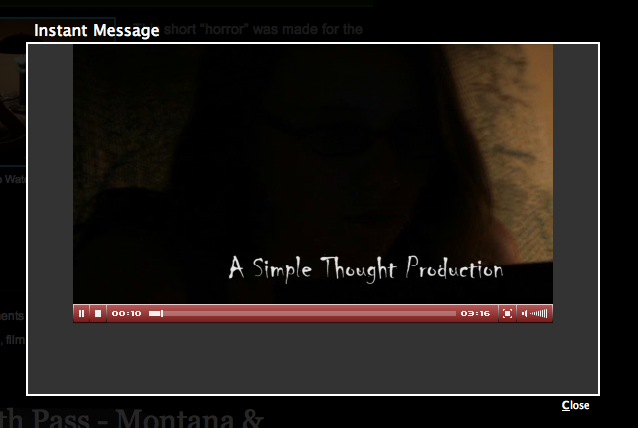
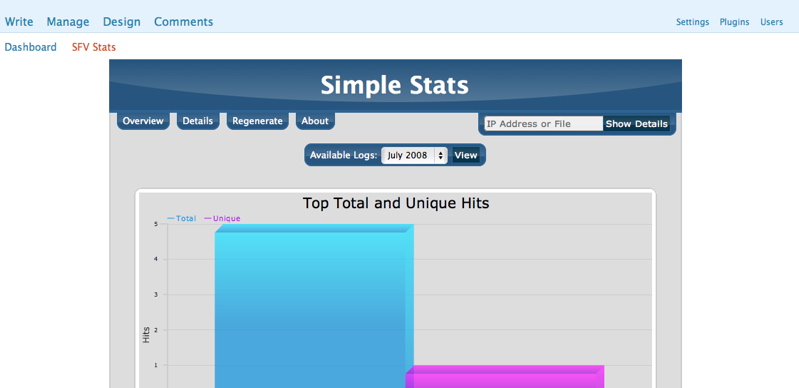
The Simple Flash Video Plugin builds on the plugins that all ready allow easy posting of .flv or .mp4 files on the popular Wordpress platform. Simple Flash Video allows for all of the JW FLV options to be utilized via its config.xml file and post level overrides. With this plugin you can easily post .flv or .mp4 videos to your blog and have your viewers instantly watch the video without having to fully download the video before watching. It also combines the popular Shadowbox utility to allow for the videos to float over the website content for a clean look. This plugin was built from the ground up to take full advantage of the JW FLV Player and Shadowbox. On top of this it is the only plugin for Wordpress that utilizes the Simple Stats App for JW that gives users a total look at the video viewership of their website. Code has been used from the Flash Video Player by Joshua Eldridge as per the licence agreements of the respective software. When you put the [video...] code in your plugin it will be replaced by a Link to the video that will open in a Shadow window. If a .jpg file is in the same directory with the same name as the flv it will also use that photo in the link. If no image is found it will simply place a Text link in your post. If you wish you can also disable the Thickbox feature in the post command.
- Reduced Main replacement Function by 50% and reduced complexity.
- ADDED meta data for shadowbox, video title, and arguments so theme authors can intergrate SFV into a theme.
- ADDED Option in Admin for meta info. Defaults to false (off).
- Bits on the run now includes height and width in the config.xml so if you do not override the setting in the command it use what bits is set to. If you want to change the default of that player change it @ bitsontherun.com and all players using that tempalte will get updated.
- ADDED click_title as argument for command line so you can override the default click title.
- ADDED Plugin Setting on Admin page where you can enter multiple plugins separated by commas.
- ADDED Additional Settings on Admin Page where you can input any extra settings for plugins or other variables placing each on a new line in a variablename=value style.
- ADDED setting to make all videos default to being power by BOTR. Use this if all of your videos are for BOTR but you use domain masking this way the plugin knows to use Bits even though its a different domain
- FIXED issue where title and description was not set properly for BOTR files
- REMOVED embed option – plugin will default to swfobject code. embed was never able to validate.
- REMOVED Bitsontherun.com support using mp4 link.
- ADDED Bitsontherun.com support using .swf link (provides stats tracking and allows the changes made on their servers to come to your blog without needing an update)
- ADDED Blip support (PHP 5 Required)
- ADDED Customizable Title under the image that used to be hard coded to: Click to Watch. User can now set it in the admin to anything or nothing.
- UPGRADED to Longtail JW FLV Player Version 4.4.198
- Image Variable now set using the image that the plugin finds or one set via vid_image. This is displayed before the video starts playing, and afterwards.
- Shadowbox now closes when videos are complete.
- Updated to latest Simple Stats
- Fixed issue where the swfobject code did not have a DIV of mediaspace for ads.
- Fixed issues where div was not closed properly in video.php for swfobject code.
- Fixed Title to properly have spaces for Longtail Premium Ads
Want to say thank you for the plugin? Just leave a comment or send an email if you found the plugin useful. Or if you want you can make a donation to the project. All of these methods are always appreciated and will certainly help keep up the motivation for future releases. Thanks!
Demos
FLV File
FLVs will simply be changed to links to the post in the feed.
[video filename=/wp-content/uploads/SimpleShorts/Spare_Change/spare_change.flv /]
Bits on the Run Hosted file
FLVs will simply be changed to links to the post in the feed.
[video filename=http://content.bitsontherun.com/players/yYul4DRz-327-1754.swf /]
FLV File Different Image
FLVs will simply be changed to links to the post in the feed.
[video filename=/wp-content/uploads/SimpleShorts/Spare_Change/spare_change.flv vid_image=http://simplethoughtproductions.com/wp-content/uploads/Sports/Rollins/Basketball/womens/08/RWBBALLVsEckerd0809.jpg /]
H264 File With Custom Title
This video will also properly download via the feed in itunes or your favorite software.
[video filename=http://www.simplethoughtproductions.com/wp-content/uploads/SimpleShorts/Morning_Mail/morning_mail.mp4 height=360 width=640 title="My Cool Custom Title" /]
Youtube Hosted Video
[video filename=http://www.youtube.com/watch?v=ly0dBk7yqYU type=youtube /]
Blip.TV Hosted File
[video filename=http://blip.tv/file/2734608?skin=rss /] <-Note that you must add ?skin=rss for the plugin to get the correct information.

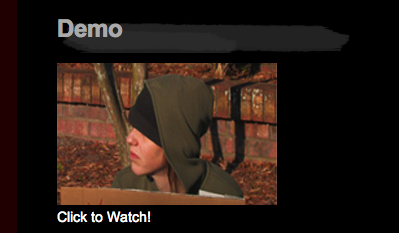
Click to Watch!
Video with Longtail Ads Enabled
To enable on a per post basis you must add longtail=true and plugins=ltas to the video command
[video filename=/wp-content/uploads/SimpleShorts/Spare_Change/spare_change.flv ongtail=true plugins=ltas /]
| Simple Flash Video Gallery |
Special Thanks
Daniel G. Taylor – Programming
Borrie Sven – Beta Testing
Installation
- Download and unzip Simple Flash Video.
- Transfer Simple-Flash-Video directory to your `/wp-content/plugins/` directory
- CHMOD the config.xml to be writable by the server, 666 or better
- Activate the plugin through the ‘Plugins’ menu in WordPress
Usage
To use the plugin you simply need to insert: [video filename=video/video.flv /]
into your post.
You can add the following variables after the filename variable:
- vid_image (http link to image) – use this to set a different image for the link
- botr (true false)- use this to enable support for bits on the run. This is needed if you are using domain masking and have not defaulted to bits on the run in the config.
- shadowbox (off on) – enables or disables shadowbox for the single video
- click_title (words spaced by ) this will allow you set a custom text below the image that is used for the video
- ALL JW FLV Variables in lower case format ex: width=200
[video filename=video/video.flv height=400 width=600 /]
For the Stats simply goto the SFV Stats page that is linked under the main admin page. From there you can see the over all stats or search for a specific file or IP address.
F.A.Q
Q: I cannot get the stream.php working what is wrong?
A: to use it you have to set the stream variable to the location and file. So for most people this will be: /wp-content/plugins/simple-flash-video/stream.php – If you have your WP install in a subfolder that will have to be added. Also, if you are using Lighty Webserver please use its FLV Mod instead of the stream.php
Q: I have activated the plugin, but don’t see the video player. What do I do?
A: Check and make sure that you have the appropriate hook in your template file for the header: wp_head();
Q: How do I change a setting for a single post?
A: If you just want to change a single value for one video you can do it by modifying the code in your post. To Change the hight you would simply put: [video filename=video/video.flv height=500 /]
You can put any of the variables in this way using all lower case variablenames without spaces in the name.
Q: How do I change the defaults?
A: The config.xml file contains all of the current variables of JW FLV 4.0 . You can modify this file to change any of the default settings that the plugin will use.
Q: Help! I can’t figure this out!?
A: No problem! Give us a shout using the contact form @ http://www.simplethoughtproductions.com/contact/ and we will see if we cant help you. We also recommend posting a comment on the version of Simple Flash Video player to allow the community to assist as well. Find the post for your version @ http://www.simplethoughtproductions.com/category/simple-flash-video/
222 Responses to “SFV Plugin”
Trackbacks/Pingbacks
- Wordtube | thephotographer4you - [...] to JW it is added benefit to the player. I have not been able to figure how to get ...


We are looking to include support for Mobile devices such as the iPhone,Touch, and Android devices (or any that support h.264 progressive download). The idea is that the script will detect the mobile device and offer a link to the video instead of flash. A test of this is in use on this site with some of the posts and we want to find the best way to include mobile device support. Please vote in the poll and leave comments!
Hi thanks for the pklug-in but is there a a way to remove the ‘Stats, (or at least remove SFV stats button from the right hand menu under Dashboard)?
I have no need for the stats and do not really need another button clogging up my side bar.
Thanks
I love your plugin, but I can’t seem to get the RTMP to work??? I put the full FMS Server address (RTMP://xxx.xxx.xxx.xxx/vod/)into the settings page and point it at the right folder, and then I point to the the video in the post using HTTP://xxx.xxx.xxx.xxx/vod/ but the video doesn’t play at all???
I have tested JW Player’s setup wizard and everything works fine. I totally disabled the firewalls and still nothing??
Any thoughts??
for streaming you would do the following,
set streamer to rtmp://xxx.xxx.xxx.xxx/vod/ and then the file would be /root of file. So, if the file is in the root content directory for vod then you just put /file.mp4 if its in video folder of vod you would put /video/file.mp4 for the file variable.
ahhhh… yes that would make it work. Thanks for the quick response.
Hello,
I think plugin installation and configue is ok as I can see some examples working well, but I must add youtube videos and that isn’t working. I can see the thumbnails of the youtube videos but when clicking… window opens but the video doesn’t load…
Any idea?
Thanks a lot in advance.
A lot of people have had issues with youtube and the JW player even when not using it with my plugin. I am going to try and get beta 2 to use JW 5.0 and see if that clears things up. Stay tuned!
@ Peter & Josh
I really struggled with this plugin, after hitting this forum and a lot of effort searching around – I could find mych helpful info, so I abandoned it. I currently used the Insert/Embed Video option and use the Thesis wordpress theme.
(http://IncreaseSiteTrafficNow.com/Thesis) it works like a bomb, dead easy.
SFV – maybe it does work but it does complicate something that is dead simple without it.
Glad to hear you have found a solution that works for you
I am trying to install your plug-in through the Bits on the Run CMS module. Do you know if there is a set custom flashvar that I could simple enter into the BOTR CMS or do I need to do the traditional install to the JW Player?
Thanks,
Kurt
I am not sure exactly what you are asking. If you are using bits on the run you simply get the video link from their CMS and then provide that link to my plugin, which will then pull everything including the player from Bits.
Hi, I am trying to have a video with a control bar in the centre of my page that autoplay’s when the page is opened and retains an image as a preview when the video is stopped/ended.
Infact just like an embedded Youtube video.
I have only been able to achieved limited success and am stuck with.
- Playing in a separate window.
- Left aligned
- Preview image is a jpg
- No control bar
- No auto play
- I have to use FQDN’s in the code as well, otherwise file not found errors.
A full list of the parameters available may help to reduce this list and be useful for the future.
thanks.
I have updated this page to contain the current links for the 1.7 version. The 1.8 beta has additional variables in the readme.txt. There is also a link to the Longtail Video Site Player Wiki which contains all of the variables for the JW player ( http://developer.longtailvideo.com/trac/wiki/Player4FlashVars ).
If you could link to a post or page where you are having trouble I can try and trouble shoot the issue. Try inserting a few videos where there should be shadow box, auto play, a image before playing etc and I will try and see what is going on.
Josh,
This is a great plugin!!!! Talk about thinking of just about everything!
I have one issue with IE 8.
It shows an error-
Webpage error details
User Agent: Mozilla/4.0 (compatible; MSIE 8.0; Windows NT 6.1; WOW64; Trident/4.0; SLCC2; .NET CLR 2.0.50727; .NET CLR 3.5.30729; .NET CLR 3.0.30729; Media Center PC 6.0; InfoPath.2; OfficeLiveConnector.1.4; OfficeLivePatch.1.3; Creative AutoUpdate v1.40.01)
Timestamp: Thu, 19 Nov 2009 06:21:28 UTC
Message: Expected ‘)’
Line: 428
Char: 110
Code: 0
URI: http://drlearnit.com/wp-content/plugins/simple-flash-video/stats/simplestats.js
Any ideas?
Thanks,
-Carlos
Hi,
if i will post i Video like your Discription, i can click on it but than it comes:
Internal Server Error
The server encountered an internal error or misconfiguration and was unable to complete your request.
Please contact the server administrator, [no address given] and inform them of the time the error occurred, and anything you might have done that may have caused the error.
More information about this error may be available in the server error log.
But other Tools also run and Videos to etc so it can be the Problem of the Server or ?
Apache/2.2.3 (Debian) mod_ssl/2.2.3 OpenSSL/0.9.8c
can you give me a link to your webpage so I can see the error happening please?
Great plugin! I have it working on our site, but one problem. When I add a jpg into the default box in settings it doesn’t pull that jpg for a video. If I rename the jpg with a filename that matches a video then the jpg is seen in the post.
Have you run into this before?
Thanks
I have not but I will try and take a look and if it is an issue I can reproduce add a fix in 1.8. Thanks!
Hi Josh,
Quick question…
When I’m make a blog post I like to add a small image of the video but what I find is that the image I use shows by default when clicked on and then the plugin stretches that image to fit the video player. Is there a way to not have that image show while the video is loading?
Here’s an example; http://easy-renegade.com/attraction-marketing-slap-google/
Cheers,
Steve
set vid_image to nothing. Use a double space in your command sauch as:
[video filename=video.mp4 vid_image= /]In 1.8 I may have a better way to do this.
Hey Josh,
Thanks for responding. That works but is there a way to add an image into the post for people to click on? With the change that you suggested I now get two links that say Click Here To Watch (which looks a little weird)http://easy-renegade.com/attraction-marketing-slap-google/
I would like to make a small image of the video and just have the link underneath.
Cheers,
Steve
For what it is worth IE 8 is not working with your setup. I still see a broken image link and when I click it, I get the video but not in shadowbox. I do see the image above the video but not a clickable link. Ill try and push out 1.8 beta soon.
This module has been working like a charm with one exception. We are using the Google Analytics Pro plugin and I can get it to report. I’ve added the pugin call gapro-1 to the plugin box and the plugin variables to the plugin options box but still no luck. Any idea what may be causing this?
Thanks,
Mike
I see the plugins in the config.xml file. Are you sure you have the needed things for the plugin in the options box as well? I have not used the plugin so I don’t know what to look for but I know if you leave something out in the settings that it needs, it will stop loading the plugin.
Hi there. Great looking plug-in. I’m working on a site that I took over. The shadowbox effect seems to be working but the video is not playing. It seems to load but then just a grey screen appears. Any ideas of what’s going on? The link is: http://www.nuzooproductions.com/category/chicago-video-production/
ok never mind. I guess the config.xml file was not set appropriately high enough. thanks for the great plug-in!
Ed
Hi,
Love the plug-in, works great.
Was wondering if it would be possible to use Amazon S3 signed expiring links for video files.
Works great without the expiring signature link. As soon as I add the expiring signature link, it no longer works.
I have some code that I use to create the link, with the PHP execution plugin it works great.
Would love to get this working with the Simple Flash Video plugin.
Any help would be much appreciated.
Thanks,
Derek
I would need to see an example of the video link so i can see if it is accessible and such.
Hey Josh,
Wow, thanks for the quick reply…
Sure.
I’m back at my laptop if you want to hit my pingbox again…
Sorry about that.
Thanks,
Derek
Hey Josh,
Here’s what the link looks like…
http://ww2.ad-trackr.com/FLVVideo.FLV?AWSAccessKeyId=AKIAJRUQO2VEFS2NJ63A&Expires=1255149145&Signature=s6KtbkB6AAsyAaKiPSgT8ocjkPU%3D
Hope this helps.
Thanks again for the fast response,
Derek
Well the link has expired now that I am awake so I am not sure if this will work but the link does not have an extention. So I would try to add a type=video to your command. [video filename=http://ww2.ad-trackr.com/FLVVideo.FLV?AWSAccessKeyId=AKIAJRUQO2VEFS2NJ63A&Expires=1255149145&Signature=s6KtbkB6AAsyAaKiPSgT8ocjkPU%3D type=video /] and see if that works REMEMBER to keep a space after the finally variable between it and the /]
Hey Josh,
I tried adding the type=video /, it comes up with video not found.
I created another signed link and put it in my browser and it worked just fine.
Here’s a new link:
http://ww2.ad-trackr.com/FLVVideo.FLV?AWSAccessKeyId=AKIAJRUQO2VEFS2NJ63A&Expires=1255208456&Signature=DYg833CKKeWwvhPcUWfvMvaZtFE%3D
The file type is in there, just not at the end of the link. http://ww2.ad-trackr.com/FLVVideo.FLV
Thanks for the great support, it’s much appreciated.
Derek
When I try to access either of those links in my browser they both say access denied. I think your privacy settings are not allowing the average user to access the files. Which is why the FLV player could not play the video.
Hey Josh,
The short link will be access denied…
The signed link is supposed to allow access for the time period it set to. In this case 2 hours.
It works for me, I just clicked on it in the post.
I checked it before I posted it too.
Thanks
Hey Josh,
I had a friend in Canada test the link and it worked.
Maybe you need to clear your browser cache or something.
Not sure why it’s giving you access denied.
Thanks,
Derek
Hey Josh,
You can hit my test blog here, it’ll create a link for you and you can copy and paste it into your browser.
http://ad-trackr.com/MembersOnly/hello-world/
Might be a time zone difference or something causing the access denied.
Thanks,
Derek
Hey Josh,
I really appreciate all the help. Great customer support, thank you. You’re plug-in is killer. Best I’ve seen for streaming video so far. All the good stuff built-in.
I’m really seriously thinking about your streaming service. It sounds really good.
Thanks again,
Derek
Glad things are working. If you have any questions about my hosting just drop me an email via the contact form and we can work out the details and such.
Hi,
I’m working on a site with this great plugin. Have added a video, then taken it down and replaced it with another video (on the same page).
However, the 2nd video is still showing some information (namely, the time of the video) from the first video.
This happens even after dumping the browser cache. Is there another cache for this plugin that needs to be reset?
You can see the problem here:
http://pedaldriven.howellatthemoon.com/oakridge-cut
Thanks for your help!
What do you mean by time of the video? The duration. In checking the file please make sure the new one is linked. When I went to the page you listed and clicked on the Trialer video I saw it load this: http://pedaldriven.howellatthemoon.com/wp-content/uploads/videos/Oakridge-EXCERPT-SD.m4v
Is that correct?
Thanks.
Josh,
Thanks for the excellent and timely support!
Yes, that is the correct video (and I was talking about the duration). The problem is the player shows the duration at 9:30 – the length of the old video file. The new video is only 4:26. So it gets to the end of the video and just seems to stall (probably making the viewer believe there is still 4 minutes of video left somewhere).
Thanks again for your responses.
We added a bunch of different file types to this post and it kept giving the wrong duration.
I finally deactivated the plugin and then reactivated it. That seemed to mysteriously fix it.
While I am glad to hear things are working I am still confused as to why this issue came up. Downloading the files and checking them showed no errors. How are you serving your files? HTTP? Lighttpd? PHP Script? Etc…
Afraid I’m not totally sure Josh. I guess HTTP. I just uploaded them via FTP to our hosting and then just linked in the WP shortcode.
Love the plugin, but am having a problem, when I activate the plugin it interferes with my gallery. When you click on the image in the gallery, the image opens up twice. Close one image and there’s another image underneath.
Turn of the plugin, and the portfolio gallery works ok.
I’m assuming that this is a shadowbox conflict with the theme.
The shadowbox gallery is embedded in the theme so it can’t be turned off.
Demetrius
I know this sounds ridiculous, but after the plug-in in uploaded, how do I load the video to get the player to work? I don’t see any options in my article post or menu bar to do this.
I am using wordpress 2.8.4
You type in the commands. I emailed you as well.
I am also completely lost…learning a lot as I go but having no luck actually getting the video to show up (anywhere, lol). Would love to be directed to some instructions….
Look on my page.
If you klick, it doesn’t work…
Plz help…
On the other template it works… here … not… o.o
(my z-indexes are above 50, one is 99)
What is the actual security setting that needs to be changed by the host on the video.php file? My host kept having me change permissions and somehow I get the feeling it is something more than that (because that didn’t work)
Usually when the host is preventing the script from running, such as hostgator, they have to add the video.php to the safe list in their security settings. This will then allow video.php to run. The way you know this is an issue is if you go directly to your video.php in your web browser but you still get a 404 error as if the file does not exist. This can also happen if your video.php has bad permission settings that don’t allow anyone to read the file. That is why we recommend a setting of 666 or higher for permissions.
Another user has just posted back saying their host had to adjust the “mod security setting” to allow the script to run.
I’m stuck:
I’ve got the player working to some extent, but am having problems with the preview image. I have put a jpg with the same file name as the flv file in the same directory.
The thing is that when I use a shortened URL to the video ie. /wp-content/uploads/etc, I only get the “click to Watch” message (which works fine.)
However, when I then put the full link in from http://etc then i get the preview image appearing!
Any ideas?
Thanks,
Mark
I may not be folliwng you. I looked at your website from your comment and the video on that page seems to work well. I see an image to click on and the video fires up afterwards. Is your issue fixed now or are you saying you want a different image to click on and then a different one to show in the player after it plays?
Hi Josh, thanks for the quick reply!
On the video page, I’ve actually put the video in twice.
At the top of the page, the video is there with just the relative linking using:
[video filename=/~mes38/wp-content/uploads/Video/tunneluplift.flv /]
Below that, I’ve put it in again with:
[video filename=http://www.srcf.ucam.org/~mes38/wp-content/uploads/Video/tunneluplift.flv /]
The difference is that with the relative linking, there is no preview.
I had another look at the page, and it’s a bit confusing – I’ve now put in some text between the two videos to make it a bit clearer.
Thanks,
Mark
I just LOVE this plugin! It’s so much more beautiful than any other video plugin, and with a little knowledge, I managed to modify it exactly how I wanted it.
I do have one wish though, I’m an absolute fan of the Modieus (Stylish) skin for JW Player, maybe you’d like to include that in the next release. I stuffed it into the skins folder and it just looks gorgeous.
All the best!
I will probably be adding some more skins to the next release.
This is probably uber simple but, can you make a play list with this plugin?
Thx
the plugin its self cannot make a play list but you can put on on your site and point to it with the filename variable and then enable it with the arguments playlist and playlist size. One tool I have used is a php file that you can get online that generates a playlist automatically of all files in a directory. If you want I can email you that.
I installed 2.8 WP and there appears to a conflict with your plugin. Is there a fix for this….the plugin once activated shows an error message in the dashboard and will not allow to post new content.
I have not seen this. Can you tell me what the error says or take a screen shot? I have installed and used SFV 1.6 as well as the 1.7 Betas on WordPress 2.8 without issue. This site is running WP 2.8 with SFV 1.7 Beta 2 at the moment. I am able to deactivate and activate without errors.
Here’s a weird problem for you…I can’t delete the stats directory. When I upgraded from an old version of SFV that used a directory named “SFV” to the newer version that uses a directory named “simple-flash-video”, it wouldn’t let me delete the old directory. I can delete all of its contents and leave it completely empty, but it won’t let me delete the stats directory or the parent SFV directory.
That is odd. You may need to use the delete logs function in the admin and THEN delete the stats folder as some of the files may be owned by the webroot which you might not be able to delete. The SFV release I think was one of the betas. If the above does not work I would recommend disabling all of the SFV plugins, then try to delete them. After they clear out install the latest from wordpess. Version 1.7. Once you get that installed you should be set. If that does not work check the properties and see who the owner is.
Can you look at my posting?
http://www.videominutes.com/fwablog/?p=708
It looks like it’s loading but nothing ever starts. I’m using the SWF object code but doesn’t look like it’s loading. Any ideas?
I think you should be linking to: http://www.videominutes.com/fwablog/wp-photos/boosterclubcelebration.flv
not you real document root. Or just /fwablog/wp-photos/boosterclubcelebration.flv
hi josh,
please excuse the repost of my problem on several different comments. not exactly sure where to leave my comment. so many different threads. maybe get it centralized..
anyways here it goes..
I installed your plug in and everything is almost working. except when the player starts i’m getting audio but no video.
also, i cant get my pre-video image to work. all it shows on the blog posting is the test saying; “click here to watch video”
here’s the link;
http://amirebrahimnia.com/2009/05/27/testing-video/
thanks again
Please switch the code to SWFOBject. Embed seems to have more issues at times. Embed will be removed from 1.7 as there is no way to validate it.
Thanks for getting back to me so fast josh.
I’ve switched to SWFOBject and still no luck.
http://amirebrahimnia.com
Can you provide a direct link to a post as well as the code you put in the post to get the generated result on your blog. Thanks!
Trying to get the plugin to work but all I get is:
embedded by Embedded Video
Download Video
with the video but the Download Video link works.
Can you link to your site so I can see it in action please?
Hey, cool plug. (:
But maybe you can solve this problem:
I can’t rly remember all of those codes [audioplayer here] [slideshow there] [and a STFU here]
Maybe you can read the plugin-sourcecodes of this plugin:
http://wpaudioplayer.com/
They inserted in the WYSIWYG-editor of wordpress a new way to insert music. You only need to klick on “Audio-Link” and you get [audio: -link-]
rly simple.
Or you can change [video filename=/wp-content/uploads/SimpleShorts/Spare_Change/spare_change.flv /] this in a way like this, maybe: [video file=-and so on-]
But thank god, this Plug is so great.
Yeah we want to do somthing similar. I will have to take a look at how they do it and see if I can do somthing similar for SFV.
Is that a bug?
I tried this Video http://mio.bplaced.net/wp-content/uploads/2009/05/lasse_gjertsen_vs_the_angry_german_kid.mp4 with this code:
[video filename=http://mio.bplaced.net/wp-content/uploads/2009/05/lasse_gjertsen_vs_the_angry_german_kid.mp4 /]
…
Doesen’t load, and so on… o__Ă´
Rly strange…
No, the problem is the file is not setup for streaming. I would recommend setting up the file for streaming. Google QTFastStart and you should get what you need. We are trying to release our own version of the tool.
Oh okai. I reload it from YouTube.
I hope it works.
If not, you hear from me.
But one last question: Who is “we”? (:
Best wishes,
Mio from Germany. (:
Dan and I are the ones who work on the programs and plugins released from Simple Thought Productions.
Awesome plugin
Thank you very much, Josh.
Help, I’m having the following message:
Stream Not Found: wp-content/uploads/Flash/Noah Extravaganga solo.flv
What do I do? Thanks much!
Stephen
… It cannot find the file. Try adding a / before wp-content.
Hi, I did that, but it still doesn’t work…
This is a file that is find-able by wordtube (but I don’t like how wordtube is performing)….
Here’s the code I inserted…
Click to Watch!
Any suggestions? Thank you!
Stephen
Sorry, I mean this is the code:
href=”http://www.simplethoughtproductions.com/wp-content/plugins/simple-flash-video/video.php?height=342&width=608&file_name=/wp-content/uploads/Flash/Noah Extravaganga Solo.flv” title=”Noah Solo” rel=”shadowbox[wirecast];height=342;width=608″> Click to Watch!
I even tried with a different clip:
wp-content/uploads/Flash/Shoka Intro Clip 2(6).flv
but still no luck
Why are you using my server for your video? It will not work due to security reasons. You need to load the plugin on your server and use it there.
Sorry to ask so many questions, but is there any way you could advise me on how to use ffmpeg to create a video that is more likely to stream (you mentioned something about the atom) in your player? Thanks again,
Stephen
Fixed it, didn’t put the whole url in there.
Now another issue….it’s taking a really long time (forever) to load…
Is there anyway of speeding up the streaming? I’m not having that problem (load time) with any of your demos on this page.
Thanks,
Stephen
Send me a link to the page so I can look at it.
Cool, thanks for replying – here it is:
http://www.shokazoba.net/?page_id=64&preview=true&preview_id=64&preview_nonce=5cb25a7502
cheers,
stephen
I cannot look at a preview post unless I have an account on your wordpress site. You will have to post it and then link to it.
Sorry, try this:
http://www.shokazoba.net/?page_id=64
you need to re-encode the files so they atom is at the front of the file. Most encoders call this streaming or hinted streaming option. I suggest MP4s, you are using an FLV so the moving the atom isnt actually possible I think.
Any suggestions for reliable encoders? I purchased one the other day that I’m not too happy with…
Thanks,
Stephen
i use FFMPEG most of the time. I am also trying to release a free app to help make it easier to use FFMPEG.
Hmmm….source code….might be a little out of my league..so it’s not a WYSWYG? Any online tutorials for using it?
Thanks again!
Stephen
Hi, I got it, and am rockin with FFmpeg (been a while since I used command prompt!) OKay, any chance you could shoot me a command for ffmpeg that will do that atom-ize thing for streaming that you talked about??? I’m looking to convert a wmv file to a flv or swf (does your program handle swf?) Thanks again!
Stephen
Great plug-in but how do I create the layout and functions in thr “Simple Flash Video Gallery” example?
I assume you mean the photo gallery. If so at the moment you have to put the code but I plan on adding a feature to make it easy. The code looks something like this:
<a href="/wp-content/uploads/Articles/wirecast/images/wirecast.jpg" title="Main Wirecast Window" class="thickbox" rel="shadowbox[wirecast]"><img src="/wp-content/uploads/Articles/wirecast/images/wirecast-thumb.jpg"/><br />Main Wirecast Window</a>The first line is the the main image you want to show in shadowbox. The title is the title you want shadowbox to have for that image. the class puts it in shadowbox. rel= is important. It is what groups the photos together. So you can have multiple galleries on one page that are only linked to each other. rel=shadowbox[gal1] rel=shadowbox[gal2] etc. The img link is your thumbnail.
I want to add it where one could do [image thumb=bla image=bla group=bla] and have it generate from there.
Works like a charm. Thanks!
Is this just for Pics? I’m trying to add a flv with no success.
I am working on a project and using WordPress 2.7.1 and when I have installed the plugin I get this error:
Forbidden
You don’t have permission to access /video/wp-content/plugins/simple-flash-video/video.php on this server.
I have tried a lot of different things, like CHMOD it to 777 or 775 etc. Tried installing it by hand (aka FTP) and by the installer in the back end of Wordpress. Even did a little dance in front of my computer. Still I get the error when clicking to view the video.
Anyone else have this problem?
yes a few have. It usually turned out to be a security setting that their hosting company had. Once they approved the SFV php files it worked like a charm. Shoot your support an email and ask them about it.
Wow, the dance didn’t work??? That must be some bad juju!
I hope you got it working.
Hi, Josh. I’m back again.
I’m trying to get video set up with LongTail premium ads. The problem there is that premium ads require the addition of a title and description. I’m doing that by adding title and description variables in the post as seen below (and based on the custom-title method shown above.) However, I’ve been contacted by LongTail asking me to use plain ASCII characters rather than the non-breaking space (&-n-b-s-p-;) special character. Do you have any thoughts on how that could be accomplished?
[video filename=http://www2.soptv.org/wp-content/uploads/SOHWLL.flv vid_image=http://www2.soptv.org/wp-content/uploads/historyweekvideo.jpg shadowbox=off longtail=true ltas.mediaid=SOHWLL.flv title=Southern Oregon History Week description=A week-long televised celebration of Oregon's rich history will include broadcasts of seven different historical programs over seven nights. plugins=ltas_beta /]You can also have a look at a sample video by going to the following link:
http://www2.soptv.org/southern-oregon-history-week/
Interesting. My code listing ended up showing regular spaces instead of the non-breaking space (&-n-b-s-p-;).
Indeed as your web browser knows what to do with them. I tried to do it without the need for them but it required that I put values in “” and I could not get the regular expression to work. I will try and address this and find a way to make it work.
This issue should be fixed in 1.7 Beta 2. If you could test it I would really appreciate it. The plugin will now remove the blank space code and replace it with a real blank space and properly format the Title variable.
Great component!! When is it going to abailable for Joomla?
Excellent. Well I will eagerly await the release of 1.7!
Cheers mate.
I have emailed you a beta of 1.7 that should validate when you are only using SFV. If you enable longtail there are still some issues but I cannot fix that at the moment. Let me know if you got the email.
I did recieve your email – thanks for that! Who’d have suspected the ol’ space before the alt tag!
Cheers mate, greatly appreciated!!
Indeed it does not.
I have a ticket in Trac to try and do this for 1.7. We will see how it goes.
http://trac.simplethoughtproductions.com/sfv/ticket/21
Hi. Great plugin, but…
The code doesn’t validate. When I try to validate the markup with w3c validator, any page with an sfv link in it reports errors:
Line XXX, Column > 80: XML Parsing Error: attributes construct error
and:
Line XXX, Column > 80: XML Parsing Error: Couldn’t find end of Start Tag img line XXX
It would be great to get this fixed since i’ve taken a lot of time to make sure all my code validates and this plugin seems to be the only one which has issues. Other than that, nice work! Keep it up!
FYI … something in your CSS alters the WP-Admin layout so that all text becomes centered….
Makes the admin difficult to used. You might want to check and see if you are using a css tag used for WP-Admin.
This is with WP 2.7
What browser and OS is this? Thanks!
So.. first off, GREAT plugin. I am having an issue though. I can’t get the skin to work. I uploaded a skin and selected it but I still get the plain default skin.
actually, none of the customizations from the admin menu are working. It autoplays the videos even though I shut it off. The only customization that works is the size change that I made.
Help!!
Please make sure that config.xml is writable on the server. If it isnt your changes will not be saved. It sounds like this is happening. Also note if your browser caches your config.xml file you will not see your changes until it pulls down the new one.
how do i go about creating a custom skin for the sfv player?
RC3 has been posted with a lot of fixes from RC2!
http://www.simplethoughtproductions.com/2009/01/17/simple-flash-video-16-rc3/
I think I know how to do that and have changed other parts to properly do that. Will see if I can do the same for the header call.
Josh – can you address the issue with http versus https?
the js code is added in header.php and it’s loading via http – if I use https: I get the “Do you want to display non-secure items” blah question
I’m not sure what the solution is – I think most plugins get the correct http setting from WP somehow. Like my SEO plugin – on http pages, it uses http – but on https pages, it automagically changes to https too.
I am having the same problem. I am using SFV 1.6 and WordPress 2.7 and I have the default width and height set to 320×260. That works fine for files that are 320×240 but when I try to change the settings for individual files, nothing works. Admittedly, I am using MP3 files rather than FLV files but the audio works fine. The only issue is with the height. No matter what I do, the width and height stay at 320×260.
“Change of Command”
[video filename=FILENAME shadowbox=off height=20 width=360 /]
[video filename=/media/teszt.mp3 height=100 shadowbox=off /] or
[video filename=/media/teszt.mp3 shadowbox=off height=100/] gives the same result.
im using wp 2.7, and sfv plugin 1.6rc2 and the code i get in my html is:
also note the two “” in the embed height, and that the flashvars contains the height twice.
currently 300 height and 400 width is set for default.
sorry but the override of height and width is just not working (neither in 1.6rc2 nor 1.5.1), neither with swfobject nor width embed. also tried setting the config and leaving the parameters blank in the xml, and completely removing the tags. something is wrong in the php. please try it.
Can you please provide the code you are using. I use the feature all the time.
This plugin is just awesome. Is there any chance it can be ported or adapted for Joomla? I’m looking for exactly what this plugin offers but as a module for Joomla.
I don’t know anything about Joomla really so I cannot help there. Video.php can function on its own without wordpress so really you would have to code up a front end and simply utilize it. I would be happy to assist someone in the development.
Thanks Josh – i keep you updated (here) how this will work.
Pit
It would seem he did not use the h264 codec but rather the original Mpeg4 codec which is why it wont play. Ask him to re-encode with h.264 (sometimes called AVC in compressors). And you should be fine.
Hello Josh,
thanks for reacting so fast – a positiv experience
As it was not me who converted the files (its a professional cameraman and video producer) I thought he knows about doing it right, but already had some concerns. It is all because he is not at all happy with the flash-video quality. But I am not sure either that he has the correct H.264 codecs installed. If you find a proof for that I would appreciate it very much!
So here is the link to a testfile: http://www.pvg-gruber.de/extras/pvgdemos08/Doku380×260.mp4 (ca. 9mb).
Thank you for checking and your support!
Pit
Usually that is because the video codec is not correct. Can you link directly to the video file so I can look at it?
Hello Josh!
I am trying for days now to show mp4 videos (hosted on own server) on a wordpress installation (2.6.3 still). So far i could find any plugin.
Yours was promising… What I got so far is that I hear the sound of the video but only see black screen (I see the loader circling, the sound starts but no video).
Any idea? Help greatly appreciated ! …by anyone
Pit from bavaria
Thanks a lot for the information. I had a feeling that was the case but you confirmed it for me. Have a great holiday!
The trick would be to find where they put the FLV files and directly link to that. But most do not want you to. Youtube however has posted an API for people to use. This allow JW to build Youtube support in via the yt.swf file which the player utilizes. Sorry I cannot be of much more help on this topic.
Do you have a instruction manual somewhere on the web that gives a step by step on how to use your plugin with others besides youtube?
The plugin only works with youtube or a video hosted on your site. It cannot work with other video sites until programmed to do so.
When I put in code like this all I get is the watch this. What am I doing wrong?
http://www.worldstarhiphop.com/videos/video.php?v=wshhm7A0a5ileegYu063
Thanks a million!
It was me reading to many comment. I need to learn if ain’t broke don’t toouch it. What size is the video in the setting page?
Well in this case it was. You just needed 1.6RC2 instead of 1.5.1
The video is: 730 width by 430 height
Sorry about not being more clear.
The Security update is for those running 1.5 only. If you are running 1.6 beta or 1.6RC1 please update to 1.6RC2
I read your last message and I thought you wanted me to update to 1.5. I have to start over. I send you a message when I put everything back together again.
I don’t see an error but you were running the 1.6 RC so you would actually want to use 1.6RC2 not 1.5.1
What was the error?
I updated to the version 1.5.1 and it changed everything on my page. Getting an error message
Please be sure to update to version 1.5.1 for the security update. This is very important.
Thank you for the donation and yes you can use other videos. The videos need to be in FLV format or .mp4 with h264 video. If you have this type of video you can upload it to your site and put the file location in the filename= part. This will allow you to link to vidoes on your own server or others. For the image to show up you need to create a .jpg image and put it in the same location as the video, or link to one using vid_image variable.
I meant to ask this questioned earlier. Can I use the plugin for videos other than youtube?
Thanks for all of your help today. I left a little donation for you to go buy lunch and a beer! Have a great holiday!
Thank you Scott. It is highly appreciated.
Your help on the RP-Wemix stuff was a huge help. A donation is in your account.
For anyone having issues using the plugin on a WP-Remix page all you have to do is end the Remix around the video and start it back up.
You do this by:
[/REMIX][video filename=video.flv /][REMIX]Can you link me to your blog so I can see it in action?
I am using WP Remix, btw.
Actually. I was asleep when you asked the question Scott. This is a page and the plugin is working.
I would guess that the theme you are using does not call wp-head for the pages and that is why the plugin is not working.
Sweet… I’ll hold off for a bit before scrapping it and integrating lightbox and JW Player behavior on my own. If this works, I will donate to your paypal button b/c this is precisely the plug behavior I’m after.
You would need to add your variable to the filter array so it does not get passed to the embed or object code.
Josh do you have any ideas on my post above? If I pass an argument in the code like linktext=”Click here for video 1″, I can call that in simple-flash-video.php with $arguments['linktext'] which works fine, I can output that custome text as the link. Unfortunately though the video doesn’t play, just a blank screen when the shadowbox pops up. Any ideas why passing a new argument might do that? The only thing I can think of is that’s its because it appends &linktext=text onto the end of the link after the flv path.
So it appears that this will not work in PAGES but only POSTS.
That is a show-stopper for me.
Any tips so this could work on PAGES also?
I will look at it tonight to see what I can do. I imagine its just another hook so it should not be hard if that is the case.
Me again
Just a quick question, how “easy” would it be to tinker with the plugin so you could pass some text into the the inserted code, which would then be used as a text link rather than an image with “Click to Watch!” underneath? For example:
[video linktext="Click here to watch the first video clip in this series" filename=video/video.flv /]
Then all that would output is the text link “Click here to watch the first video clip in this series”. I’m looking for a text based menu rather than thumbnails, so this would be really handy!
SUCCESS!! Thanks Josh, that worked a treat, I wish all plugin developers were as proactive as yourself
I think it would be good to add this to 1.6, it’s probably quite rare due to the environment I’m developing this in but it’ll still save some people headaches. Thanks again!
OK, So I did a little googling and here is what I came up with.
So what I will do is try to include this in SFV 1.6
In the mean time, you can try and add the 2nd option to video.php after the comments section just above
This should take care of the issue.
It’s running on a protected internal site so I can’t really link you to it as I’d have to give over my username and password. All I can do really is list all the errors it gives! The shadowbox pops up fine, but then a long list of errors is given in the small window, which I can scroll all the down to reveal the video playing fine right after the last error at the bottom. Note this also happens when trying the preview video in the settings. Here is the complete list of errors:
Notice: Undefined variable: attributes in E:\inetpub\misc\schools\wwwroot\lep\wp-content\plugins\SFV\video.php on line 35
Notice: Undefined index: CONFIG in E:\inetpub\misc\schools\wwwroot\lep\wp-content\plugins\SFV\video.php on line 69
Notice: Undefined index: HEIGHT in E:\inetpub\misc\schools\wwwroot\lep\wp-content\plugins\SFV\video.php on line 69
Notice: Undefined index: WIDTH in E:\inetpub\misc\schools\wwwroot\lep\wp-content\plugins\SFV\video.php on line 69
Notice: Undefined index: OVERSTRETCH in E:\inetpub\misc\schools\wwwroot\lep\wp-content\plugins\SFV\video.php on line 69
Notice: Undefined index: FULLSCREEN in E:\inetpub\misc\schools\wwwroot\lep\wp-content\plugins\SFV\video.php on line 69
Notice: Undefined index: AUTOSTART in E:\inetpub\misc\schools\wwwroot\lep\wp-content\plugins\SFV\video.php on line 69
Notice: Undefined index: BUFFERLENGTH in E:\inetpub\misc\schools\wwwroot\lep\wp-content\plugins\SFV\video.php on line 69
Notice: Undefined index: REPEAT in E:\inetpub\misc\schools\wwwroot\lep\wp-content\plugins\SFV\video.php on line 69
Notice: Undefined index: QUALITY in E:\inetpub\misc\schools\wwwroot\lep\wp-content\plugins\SFV\video.php on line 69
Notice: Undefined index: VOLUME in E:\inetpub\misc\schools\wwwroot\lep\wp-content\plugins\SFV\video.php on line 69
Notice: Undefined index: SHUFFLE in E:\inetpub\misc\schools\wwwroot\lep\wp-content\plugins\SFV\video.php on line 69
Notice: Undefined index: CONTROLBAR in E:\inetpub\misc\schools\wwwroot\lep\wp-content\plugins\SFV\video.php on line 69
Notice: Undefined index: PLAYLIST in E:\inetpub\misc\schools\wwwroot\lep\wp-content\plugins\SFV\video.php on line 69
Notice: Undefined index: PLAYLISTSIZE in E:\inetpub\misc\schools\wwwroot\lep\wp-content\plugins\SFV\video.php on line 69
Notice: Undefined index: MUTE in E:\inetpub\misc\schools\wwwroot\lep\wp-content\plugins\SFV\video.php on line 69
Notice: Undefined index: STRETCHING in E:\inetpub\misc\schools\wwwroot\lep\wp-content\plugins\SFV\video.php on line 69
Notice: Undefined index: LONGTAILENABLE in E:\inetpub\misc\schools\wwwroot\lep\wp-content\plugins\SFV\video.php on line 69
Notice: Undefined index: embed in E:\inetpub\misc\schools\wwwroot\lep\wp-content\plugins\SFV\video.php on line 85
Notice: Undefined index: longtail in E:\inetpub\misc\schools\wwwroot\lep\wp-content\plugins\SFV\video.php on line 86
Notice: Undefined index: DEFAULT_CODE_TYPE in E:\inetpub\misc\schools\wwwroot\lep\wp-content\plugins\SFV\video.php on line 110
Notice: Undefined index: FULL_PLUGIN_URL in E:\inetpub\misc\schools\wwwroot\lep\wp-content\plugins\SFV\video.php on line 166
Notice: Undefined index: REMOVE_PADDING in E:\inetpub\misc\schools\wwwroot\lep\wp-content\plugins\SFV\video.php on line 175
Notice: Undefined index: REMOVE_PADDING in E:\inetpub\misc\schools\wwwroot\lep\wp-content\plugins\SFV\video.php on line 188
Having succesfully activated this plugin after some problems (turns out it doesn’t like being activated when there are other flv plugins installed!), I’m now getting issues using it. When I click a link to open a video, the shadowbox pops up but is full off php errors such as:
Notice: Undefined variable: attributes in E:\inetpub\misc\schools\wwwroot\lep\wp-content\plugins\simple-flash-video\video.php on line 45
Notice: Undefined index: CONFIG in E:\inetpub\misc\schools\wwwroot\lep\wp-content\plugins\simple-flash-video\video.php on line 73
All of the errors are from video.php. There is a long list of these, then right at the bottom is my video playing along fine. Any ideas?
I am not sure so I would need to see it. It might be that you have PHP set to display all warnings and errors. If I can see what they are I can try and figure out the issue. Do you have a link so I can look at the page?
Thanks Josh a lot.. that fixed it. It was 777 but don’t know what happened.
Thanks a lot and keep up the good work.
Are you running 1.5 or 1.6RC1?
The problem is the config was not set to be written to by all users. You need to add in:
<full_plugin_url>http://www.tvshowsaddict.com/wp-content/plugins/SFV/<full_plugin_url>Josh
I’ve tried with shadowbox=off feature and the video does not show at all
here’s the example:
http://www.tvshowsaddict.com/smallville-season-8-episode-9-abyss-preview/
At the bottom of the article 2 examples: without shadowbox and with shadowbox=off
Can you tell me what I’m doing wrong?
Currently there is no way to do this other than adding shadowbox=off on every video but this is a feature that will be in 1.7
How can I disable shadowbox for every video? I just want them to appear in the post. I’m using the latest version.
Thanks in advance.
You can use the Youtube plugin for the JW player with the plugin. Also. You can write a PHP script (some exist all ready) that generate the playlist you want on the fly for the player.
Can this plugin aggregate favorite or playlist videos from youtube? I am looking for a feature to list unlimited youtube favorites.
Thank you.
Please double check my post, I think I know what you want but I wanted to confirm.
what a fast response, thanks!
Im not sure if I am following what you mean.
By default you you only need to type the full URL when the file is not on your site. Are you saying that all the videos you have that are off site are all on the same server?
Hey, just what I’m looking for, apart from I host my videos elsewhere and do not want to have to write the full url of the video each time. Could you add in a default location option please.
e.g. site = abcde.com
videos hosted = fghij.com
Indeed this is true. I had thought about doing that but the fact that the new skins can indeed be anything it makes it harder. I suppose putting a new setting where it asks for skin padding.
Cool! Well another simple and extremely useful feature would be to automaticaly ad the size of the player (20px)to the count. So that the height and width are of the video ONLY and not the video+player. I keep having to ad +20 pixels to the height. Currently only the “flv embed plugin” by Yaosan Yeo http://www.channel-ai.com/blog/plugins/flv-embed/ has this feature. I know that this is dependent of the skin used, but maybe you can pull some variable from them.
Ahh… Indeed… OK Beta 5 of 1.6 should have it….
Great plugin. But how can I disable the shadow box in control panel, for ALL the videos. Is there a option without the need to add shadowbox=off to all the videos. If there is no option. Please ad one to the administration. All the rest 5 stars
A new beta version with many fixes and enhancements has been released!
Get it here!
Glad to help out
.
-T
I downloaded the .js files directly from http://newmusicmonday.com/ and it seems to work for me.
The latest beta I am working on allows for it to fill the box and I am really trying to get that out in the next few days. The title is gotten through a wordpress call to get_post_Title() or something similar, I am not able to look at the script right now. The close button can be redone using the tools provided with shadow box if you are staying with it but I have never tried something of that nature.
I mean “in full size” like on http://newmusicmonday.com/
OK. I will try to set your script up with the mediabox.
First I must use shadowbox.
A few questions: I want to set the Title like “SFV Plugin” in your examples below the video? What and where I must change that style? And how I can use an alt description and display it below the video (and if the title is below the video, than below this title)? How I can change the close button? Plus is there a way to get the video to be display in full size inside the shadowbox?
Dennis,
Thank you!
I am not familiar with mediabox but I am sure it is possible to use it but it would require a bit of work. I am not inclined to switch to using it either as Shadowbox has been doing so well for me. If you try to switch it and need help feel free to post back or email me using the Contact Page.
Thanks for the plugin. Great work!
Is there a way to use the mediabox (iaian7.com/webcode/Mediabox) instead of the shadowbox? But I love the feeling of the shadowbox, if I scroll up and down the site while playing a video. This should be integrate in the mediabox for a better look & feel while scrolling.
You would have to remove it from the simple-flash-video.php
I you search through it you will find it in a few places. Remove it and it will be gone.
Love the plugin. I’ve been wanting something like this for years. Quick question… how do I remove the “Click to watch” text below the embed? Thanks!
-T
Thanks
The problem is indeed in side of shadowbox. During development there were a number of lightbox users who moved to shadow box and to help them the programmer also replaced lightbox links with the shadowbox code. With that, you should be able to just disable the lightbox 2 code and it should still work on images as long as it has a rel=shadowbox or lightbox. We know it will work on yours because shadowbox is all ready picking it up. So if you disable the Lightbox2 plugin everything will be fine. The photo gallery above is done with my plugin and nothing extra.
Hii Josh,
first congratulations for the plug in. To have all this code inside a wordpress plug in makes the things really easy for us, just not professionals in coding.
My problem is that the SHADOWBOX effect is going on also with my other images of the other posts. I don’t want this because I have the LIGHTBOX 2 plug in already working and in this way the both effects works together. And this is not nice. Please, let me know where to put some code to cancel the SHADOWBOX, or maybe switching off LIGHTBOX2, to leave working only SHADOWBOX but for all the website images, not only for flash videos.
Thanks again.
Jaume (Barcelona/Milano)
Youtube does work but it needs the missing yt.swf. For now if you add it from the main download off of the JW FLV website and add it to the simple-flash-video plugin folder on your site and it will work. Next version is due out soon and it will be included.
What about playing youtube and so on…?
Not at the moment. I’m setting up another wordpress install to use for demos, as some of the video I have is (c)opyrighted, so I can’t show it live yet.
Keep you posted.
Regards
Alan in Darwin.
Mind sharing a link where you are using the plugin?
Ah-HA!
That fixed it perfectly. I had used most of those mods while I was playing with the s-f-v.php file, but I hadn’t looked at the video.php file.
Thanks heaps.
Regards
Alan in Darwin
JJ, I am not familiar with tinyMCE but it seems to be java based so you would have to write one from scratch unless it can accept PHP which is what the plugin is written in.
———————————————-
Alan, As for removing the padding from shadowbox.
You would need to change a few lines of code.
Around line 610:
//Set padding for the width to allow Shadowbox to be large enough
$arguments['height'] += 70;
$arguments['width'] += 90;
Remove that
as well as around line 630:
//Set padding for the width to allow Shadowbox to be large enough in all browsers
$width += 90;
$height += 70;
And around 654 and 672. Once all of those are removed from the simple-flash-video.php you need to go into video.php and remove:
$fileheight -= 70;
$filewidth -= 90;
which are around lines 170
That should do it.
Greetings from th Northern Territory of Australia.
Up there, you said: “One can have it fit the shadow box perfectly by removing the padding that I put in.”
Where does one do this? I have played around with the CSS and PHP files, and (maybe I’m thick, but)I can’t see where to adjust the padding.
Also, see separate bug report, being prepared as I write.
Regards
Alan in Darwin
hello, is there any way to use this plugin with standalone tinymce? I’m working on a project that requires the JW flv player to be embedded but we are just using tinyMCE.
any ideas?
It looks like the skin is not loading for you. Might want to try and update your flash player. I have not had that happen to me in IE 7 when I am using Windows Vista. The next version will be correct to not display unless you have 9.0.115 which is the minimum required for .mp4s
It’s stuck and won’t load the video.
http://img177.imageshack.us/img177/3269/ieyz8.png
What do you mean? The plugin seems to look normal for me when I use IE 7 or 6. I have not tested 5.
Nice, I see you got that fixed. Is it me, or is IE acting strange again?
One of the things I need to add is a padding to push it center. One can have it fit the shadow box perfectly by removing the padding that I put in. I think I will try centering first with the next version and we will see how that goes.
^2nd that cool idea.
First of all thanks for this super sexy plugin! I was wondering how you can place the video spot on in the middle of the shadowbox, or having it cover the whole box.
Ok I see what you mean. That could be done and that is a pretty cool feature. As of right now the config page is up to date for 4.0!
Right on Josh, with the added feature of been able to set a different size for the on-page player (a smaller size) and the shadowbox player (for example 1.5 or 2x the original, since sometimes fullscreen-3x the size- is just too large to look good). I’ve seen something like this over at ted.com and it works very well.
I’ll wait a bit and see if you get around to an updated config page. If I find the time and I get something done myself I’ll let you know.
Plugin Version 1.4 and higher uses the 4.0 player only. That was not updated in the info entirely I apologize for that. So 4.0 works fine now. Technically if a new player came out you could update it in the plugin folder, update the settings you want in the config.xml manually and it would work, you would have to wait for me to update the admin page to do the automatic configuration or modify the plugin your self but so far we have kept it up to date fairly quickly.
I am not sure what you mean about the player on page. Are you saying you want the player to show on the page, and if they click full screen it then opens in shadow box?
Above you state The config.xml file contains all of the current variables of JW FLV 3.16. You can modify…. Are we going to be able to use all the V4 variables within the xml file or are we limited to the 3.x set of variables? How come you seem to have implemented a subset of variables in the plugin admin page?
Good work though. I may be able to get rid of a couple of plugins and replace them with yours. Still, I’d like to get the player on the page and pop up the shadowbox upon a click on the player itself (ideally the fullscreen botton). Any suggestion?
Yeah, I am currently the only 4.0 Compatible Plugin listed. I don’t think it will be too hard to add in support for the ads I just have to look at how they are implemented and then find a way to tie it in.
Ohhh I ask because u are the only who appears in the CMS plugin to use with that adssolution…I can try some change and tell u what happend…but I think with the open variables it´s possible…I comment u…
That is a good question. I will have to look at the setup and I can probably add that feature in an upcoming version. Thanks for the suggestion!
How can modified for use whit longtail ads solutions???
PD regards for the works it`s awesome
You have your wish now! (Sorry it took so long!)
No vidoes work fine.
Should look similar but slightly different. I want to add the ability to make grouping easier so one does not have to hard code it in the first place which is the point of a plugin.
<a href="http://www.simplethoughtproductions.com/wp-content/plugins/simple-flash-video/video.php?height=342&width=608&file_name=/wp-content/uploads/VIDEO.MP4" title="Demo" rel="shadowbox[wirecast];height=342;width=608"><img src="/wp-content/uploads/DEMO.jpg" alt="Click here To Watch Video "/><br /> Click to Watch!</a>Got it. Works great as is. This is really a cool and beautiful way to present media choices. Very smooth and dramatic. Thanks again.
You’re welcome and I am glad you have found the plugin useful
Be sure to check back often for updates!
That is really odd. I see the issue and when i download the file I don’t see any issues with the file. Ill keeping looking around.
Try setting image to nothing and set vid_image to the image you want on the page.
Hi Josh,
I did manage to get a solution to work. I basically set the ‘Default Title for Text under image’ in the setting as nothing instead of click here to watch.
This meant that I would just get one link showing up that says’ Click to Watch Video and then I just added an image as I normally would.
I had to make sure that I set the file url for the image to none otherwise people would click the image expecting the video to play and just get taken to the image location.
Seems to work quite fine though; http://easy-renegade.com/attraction-marketing-slap-google/
One possible solution for an upgrade would be to be able to add a click-able image as we do now and then just have a default image that shows while the video is buffering. I actually thought that the “Link to Image to display before any video starts:” section in the settings would do that but it doesn’t seem to override the image in the post.
Thanks for your help.
Steve
If you could send a link to what you are trying or at least told me what you have tried I would be in a better position to help you.