
Simple Flash Video 1.5 is here!
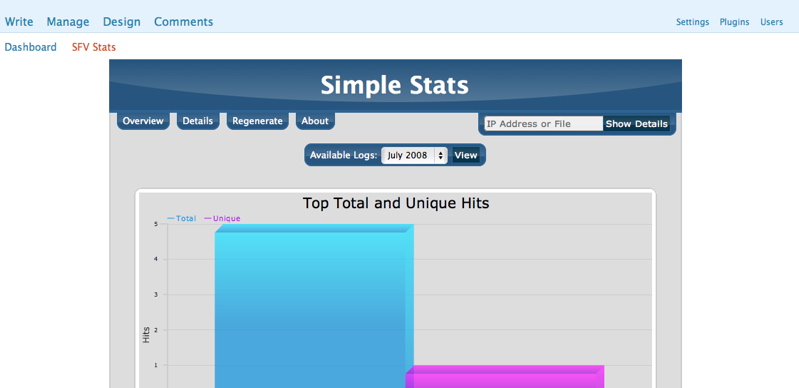
- Simple Stats now integrated!
- Numerous Cosmetic Code Changes
- Code created by SFV now Validates via W3C!
- If a viewer is looking at your feed the plugin will done one of two things:
- FLV files will get a link to the post they are contained in
- other files will get a direct link to the file for feed aggregators to utilize.
- Full site URLs will now get images when they exist.
Want to say thank you for the plugin? Just leave a comment or send an email if you found the plugin useful. Or if you want you can make a donation to the project. All of these methods are always appreciated and will certainly help keep up the motivation for future releases. Thanks!
Demos
FLV File
FLVs will simply be changed to links to the post in the feed.
H264 File
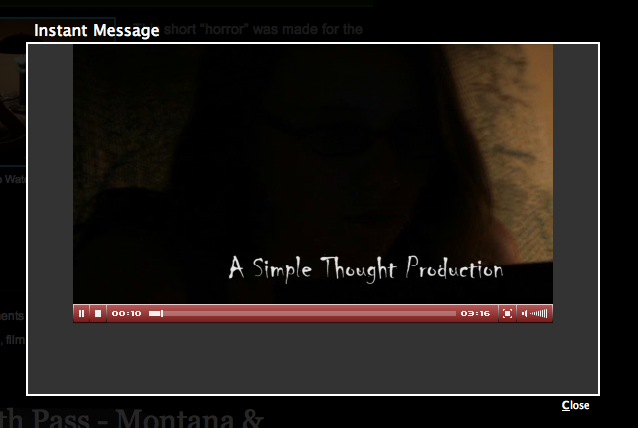
This video will also properly download via the feed in itunes or your favorite software.
| Simple Flash Video Gallery |




Special Thanks
Daniel G. Taylor – Programming
Borrie Sven – Beta Testing
About
The Simple Flash Video Plugin builds on the plugins that all ready allow easy posting of .flv or .mp4 files on the popular WordPress platform. Simple Flash Video allows for all of the JW FLV options to be utilized via its config.xml file and post level overrides. With this plugin you can easily post .flv or .mp4 videos to your blog and have your viewers instantly watch the video without having to fully download the video before watching. It also combines the popular Shadowbox utility to allow for the videos to float over the website content for a clean look. This plugin was built from the ground up to take full advantage of the JW FLV Player and Shadowbox. On top of this it is the only plugin for WordPress that utilizes the Simple Stats App for JW that gives users a total look at the video viewership of their website. Code has been used from the Flash Video Player by Joshua Eldridge as per the licence agreements of the respective software. When you put the code in your plugin it will be replaced by a Link to the video that will open in a Shadow window. If a .jpg file is in the same directory with the same name as the flv it will also use that photo in the link. If no image is found it will simply place a Text link in your post. If you wish you can also disable the Thickbox feature in the post command.
Installation
- Download and unzip Simple Flash Video.
- Transfer Simple-Flash-Video directory to your `/wp-content/plugins/` directory
- CHMOD the config.xml to be writable by the server, 666 or better
- Activate the plugin through the ‘Plugins’ menu in WordPress
Usage
To use the plugin you simply need to insert: [RAW][/RAW]
into your post.
You can add the following variables after the filename variable:
- shadowbox=off – Disables ThickBox and simply puts the player into the post
- embed=true – Uses embed code instead of SWFObject Code
- ALL JW FLV Variables in lower case format ex: width=200 [RAW] [/RAW]
For the Stats simply goto the SFV Stats page that is linked under the main admin page. From there you can see the over all stats or search for a specific file or IP address.
F.A.Q
Q: I cannot get the stream.php working what is wrong?
A: to use it you have to set the stream variable to the location and file. So for most people this will be: /wp-content/plugins/simple-flash-video/stream.php – If you have your WP install in a subfolder that will have to be added. Also, if you are using Lighty Webserver please use its FLV Mod instead of the stream.php
Q: I have activated the plugin, but don’t see the video player. What do I do?
A: Check and make sure that you have the appropriate hook in your template file for the header: wp_head();
Q: How do I change a setting for a single post?
A: If you just want to change a single value for one video you can do it by modifying the code in your post. To Change the hight you would simply put: [RAW][/RAW]
You can put any of the variables in this way using all lower case variablenames without spaces in the name.
Q: How do I change the defaults?
A: The config.xml file contains all of the current variables of JW FLV 3.16. You can modify this file to change any of the default settings that the plugin will use.
Q: Help! I can’t figure this out!?
A: No problem! Give us a shout using the contact form @ https://www.simplethoughtproductions.com/contact/ and we will see if we cant help you. We also recommend posting a comment on the version of Simple Flash Video player to allow the community to assist as well. Find the post for your version @ https://www.simplethoughtproductions.com/category/simple-flash-video/
Yeah, your video is just mpeg4. It needs to be h.264 for flash to be able to play it. What encoder are you using? Most can do the h264 and it is an option under the mpeg4 area.
http://www.bbcyorktown.org/sermons/videofiles/Sep21v.mp4
I would need to see the file. It sounds like the .mp4 file is not using h.264 video.
Can you link to it please?
I apologize for being a ‘newbie’ to all of this, but can you help me figure out why I’m only getting the audio out of my .mp4 file?